
how-to
Community
Identity & Access Management (IAM): Developer Insights and Best Practices
Piyush Pelagade — 04 August 2026
15 min read
21 August 2026
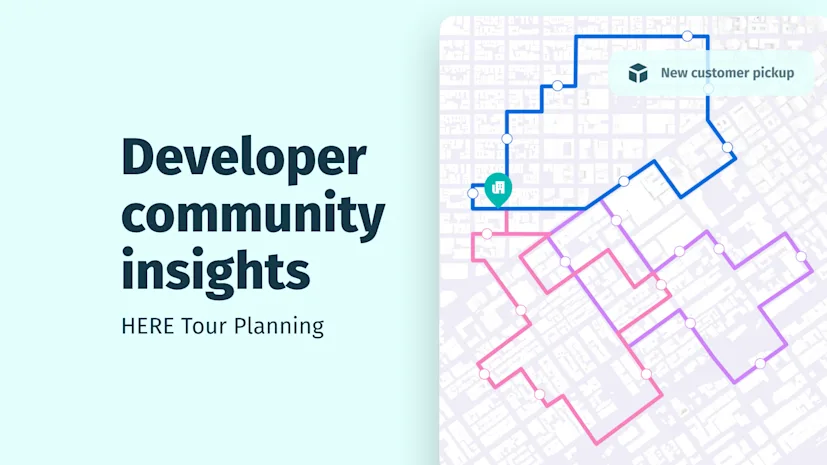
The HERE Tour Planning API helps developers solve complex vehicle routing problems (VRP), from multi-vehicle route optimization to last-mile delivery, pickup and delivery, and capacity or time-window constraints. Within the HERE developer community, developers ask practical questions about fleet capacity, service scheduling, delivery constraints, driver safety and operational efficiency.
This article highlights practical HERE Tour Planning API use cases and implementation patterns drawn from those discussions.
Modeling service technicians who perform multiple tasks at one location
For example, a field service company needed to schedule technicians visiting customer sites where several tasks could be completed during one visit. The challenge was separating:
Fixed setup time (eg, parking, unloading equipment and check-in)
Actual task execution time
Without this distinction, service durations became inaccurate.
Recommended approach
Use location-specific parking durations when setup time varies by location
place.duration for each service activity
Example
Define shared parking durations:
"shared": { "parking": [ { "id": "parking_downtown", "places": [ { "duration": 90, "vehicleTypeIds": ["small_van_experienced"] }, { "duration": 180 } ] } ]}Reference the parking definition in the job:
"places": [ { "location": { "lat": 52.5293, "lng": 13.3850 }, "duration": 300, "parkingIds": ["parking_downtown"] }]
Takeaway |
|---|
Separate fixed stop overhead from task execution time to create more realistic schedules. When setup times vary between locations, use location-specific parking durations for greater modeling flexibility. For simpler scenarios where setup time is identical at every stop, stopBaseDuration remains a suitable option. Learn more |
Multiple jobs at the same customer location
A utility company frequently scheduled several tasks at one address. Without special handling:
Service durations accumulated unnecessarily
Stop times became inflated
Recommended approach
Use clustering together with serviceTimeStrategy=maxDurationStrategy when multiple jobs occur at the same customer location. This ensures the clustered jobs are executed during a single stop, with the service duration set to the longest duration among the clustered jobs rather than the sum of all durations. For customer-specific service durations, House Keys can further prevent service times from accumulating unnecessarily.
Takeaway |
|---|
Treat co-located activities as a shared stop whenever possible to reduce unnecessary service time while accurately representing the work performed. |
Delivering different product types in the same vehicle
A distributor operated vehicles carrying:
Frozen goods
Dry goods
Fragile products
Each compartment had different capacity limitations.
Recommended approach
Use multi-dimensional capacities
Skills and/or mixing restrictions to enforce compatibility rules
Example
"capacity": [1000,500,200]
Combined with matching job skills.
Takeaway |
|---|
Model each compartment as a separate capacity dimension. Use skills when only certain vehicles can serve a job, and use mixing restrictions when certain categories of goods must not travel together. Learn more |
Optimizing routes while avoiding restricted areas
A logistics provider needed optimized routes while avoiding:
Construction zones
Restricted neighborhoods
Hazardous areas
Recommended approach
HERE Tour Planning uses HERE Routing internally during optimization and can now return route polylines as part of the optimization result. This is the recommended approach because it preserves the routing settings used during optimization and eliminates the need to recreate them in a separate Routing API request.
Use the Routing API separately only when you need additional routing capabilities, such as custom route calculations or navigation-specific features.
Takeaway |
|---|
Tour optimization and route calculation solve different problems. Use the HERE Tour Planning API to determine the optimal vehicle assignments, stop sequence, and route geometry in a single workflow. Use the Routing API only when additional routing or navigation capabilities are required. Learn more |
Managing delivery zones with geographic territories
A delivery operation divided its service area into geographic zones, with specific vehicles assigned to each territory. The goal was to keep vehicles within their assigned areas while allowing more flexibility when workload or vehicle availability changed.
Recommended approach
Use territories to define geographic service areas and control which vehicles can serve jobs within each area. Start with strict territories when vehicles should only serve their assigned zones. If operational flexibility is needed, configure flexible territories so vehicles can also serve jobs outside their primary territory when required.
This allows you to:
Keep vehicles focused on their assigned service areas
Balance workload across territories when needed
Use available vehicles more flexibly
Adapt territory restrictions to changing operational needs
Takeaway |
|---|
Use territories when geographic zones are a core part of your fleet operation. Start with strict territory assignments when geographic boundaries must be respected, and consider flexible territories when vehicles may need to support neighboring areas. Learn more here in the Tour Planning API documentation. |
Balancing fleet size against operating costs
A transportation company wanted to minimize the number of vehicles used each day. However, the optimizer was creating multiple tours even though vehicle capacity allowed jobs to be combined.
The challenge
The optimization objectives were configured as:
"objectives": [ { "type": "minimizeUnassigned" }, { "type": "minimizeCost" }, { "type": "optimizeTourCount", "action": "minimize" }]
Because vehicle costs were set to zero, the solver had no penalty for creating additional tours. Because HERE Tour Planning evaluates objectives lexicographically, the solver first optimizes for unassigned jobs, then for cost. If it finds a lower-cost solution, it may never evaluate optimizeTourCount.
Recommended approach
When minimizing fleet size is important:
Place optimizeTourCount before minimizeCost
Order objectives according to your business priorities
Example
"objectives": [ { "type": "minimizeUnassigned" }, { "type": "optimizeTourCount", "action": "minimize" }, { "type": "minimizeCost" }]Takeaway |
|---|
Tour Planning evaluates objectives hierarchically (lexicographically). If reducing the number of tours is more important than minimizing operating costs, prioritize |
Handling cost-based vehicle selection across different fleet types
A fleet operator had:
Economy vehicles
Standard vehicles
Premium vehicles
and wanted the optimizer to automatically choose the most cost-efficient option.
Recommended approach
Define cost parameters for each vehicle type based on its operating characteristics.
Example
"economy": { "costs": { "fixed": 30, "distance": 0.003, "time": 0.006 }},"standard": { "costs": { "fixed": 50, "distance": 0.002, "time": 0.005 }},"premium": { "costs": { "fixed": 80, "distance": 0.0015, "time": 0.004 }}The solver evaluates:
Fixed cost
Distance cost
Time cost
when selecting most appropriate vehicle for each tour.
Takeaway |
|---|
Vehicle costs affect optimization decisions, not just reporting. Define realistic cost models for each vehicle type so the optimizer can balance operating costs against other planning objectives. Learn more |
Scheduling recurring collections throughout the week
A waste management company needed recurring collections while ensuring enough time between visits.
Challenge
There is currently no documented feature for enforcing a minimum elapsed time between independent recurring jobs. Time windows remain the primary mechanism for approximating visit spacing.
Recommended approach
Design recurring visits using carefully planned time windows. For example:
Monday 08:00–12:00
Wednesday 08:00–12:00
Friday 08:00–12:00
Takeaway |
|---|
Time windows are currently the primary mechanism for spacing recurring visits. Learn more |
Reducing road crossings for curbside operations
A waste collection fleet wanted vehicles to service addresses from the preferred side of the road, reducing unnecessary street crossings and improving driver safety.
Recommended approach
Use "sideOfStreetHint" This helps route vehicles to the preferred side of the road, helping the optimizer create safer and more practical service sequences.
Takeaway |
|---|
The shortest route is not always the safest. Side-of-street hints help the optimizer prioritize safer and more operationally efficient stop sequences for curbside services such as waste collection, postal delivery, and utility maintenance. Learn more |
Designing multi-stop collection routes feeding a central hub
A common logistics pattern involves:
Depot -> Pickup A -> Pickup B -> Pickup C -> Central Hub
Developers initially model the hub as a delivery job. However, when every vehicle finishes its route at the same facility, this can add unnecessary complexity to the optimization problem.
Recommended approach
When all collected items are ultimately returned to a central facility:
Configure the hub as the vehicle's shift end location
Use pickup jobs for collection activities
Only model the hub as a separate job when it has its own operational constraints or service requirements
Takeaway |
|---|
If every route naturally ends at the same depot or processing facility, consider modeling it as the vehicle's shift end location rather than creating an additional delivery job. Learn more in the Tour Planning API documentation. |
1. How do I troubleshoot REACHABLE_CONSTRAINT errors when a location appears reachable?
A common HERE Tour Planning API issue is receiving:
{ "code": "REACHABLE_CONSTRAINT", "description": "location unreachable"}even though the location appears reachable on the map.
Common causes reported by community members include:
Delivery access restrictions near the destination
Temporary road closures or live traffic events
Last-meter connectivity issues (the stop is slightly off the routable road network)
Vehicle profile restrictions (truck vs. car routing)
Avoid areas or routing constraints blocking access
Troubleshooting steps:
Verify stop coordinates and road snapping
Test the location with the same vehicle profile in the Routing API
Review truck access restrictions near the destination
Test with and without live traffic enabled
Check avoid areas and routing restrictions
Move the stop coordinates a few meters and rerun the optimization
Also, check out this press release for last meter guidance
Takeaway |
|---|
|
2. How do soft time windows affect route optimization and constraint prioritization?
Soft time windows are often used when a preferred service time exists, but arriving slightly earlier or later is acceptable.
What's happening?
Unlike hard time windows, soft time windows do not make a solution infeasible when violated. Instead, they introduce a penalty that the solver considers during optimization.
Key behaviors:
Soft time windows consist of a hard time window and a preferred service time
The preferred service time may be violated if it results in a better overall solution
The hard time window must still be respected; otherwise, the job becomes unassigned
Soft time windows never override hard constraints
Capacity, vehicle assignment, driver limits, and route feasibility always take priority
Best practices
Use hard time windows when timing is mandatory
Use soft time windows when some scheduling flexibility is acceptable
Expect deviations when they help satisfy higher-priority constraints
Consider adding optimization objectives that penalize soft time window violations when minimizing deviations is important.
Example
A delivery should ideally occur between 9:00–10:00 AM, but can still be completed later if required to satisfy vehicle capacity or route constraints.
Takeaway |
|---|
Soft time windows increase scheduling flexibility by allowing controlled deviations from preferred service times. They do not de-prioritize other constraints by default, and the solver will only violate them when doing so improves the overall solution. Learn more (This is an ALPHA feature and require the softTimeWindows experimental flag) |
3. How can I ensure lower-priority jobs don't impact higher-priority deliveries?
Many fleet operators use priorities to distinguish between must-complete jobs and optional work. However, they may notice that adding lower-priority jobs can unexpectedly increase the number of unassigned higher-priority jobs.
What's happening?
By default, HERE Tour Planning prioritizes serving higher-priority jobs during optimization. Lower-priority jobs should not displace higher-priority ones unless the optimization objectives have been configured to prioritize other goals (such as minimizing unassigned jobs) ahead of job priorities.
Job priorities are evaluated alongside other operational constraints, including:
Vehicle capacity
Driver working time
Time window feasibility
Skills and assignment constraints
It's also worth noting that using more than two distinct priority levels is currently a BETA feature. BETA features are in end-stage development and have no major bugs, but their coverage, quality, performance, or test coverage may not yet be final.
Recommended approach
Use only two priority levels when possible (for example, critical vs optional)
Use job priorities to distinguish between critical and less critical work.
When configuring optimization objectives, verify that they align with your business priorities.
If using multiple priority levels, be aware that this functionality is currently in BETA.
Example
A delivery company classifies:
Priority 1–4 = committed customer deliveries
Priority 5 = optional early deliveries
When Priority 5 jobs are included in the same optimization request, they may consume capacity and scheduling flexibility, resulting in more Priority 4 jobs becoming unassigned.
Takeaway |
|---|
Priorities do not reserve capacity for higher-priority jobs. If lower-priority work should never impact critical deliveries, consider excluding those jobs from the initial optimization run and using a second pass to fill remaining vehicle capacity. Job priorities are designed to guide the optimizer toward serving more important work first. When using custom optimization objectives, ensure they are configured to reflect your business priorities. If using multiple priority levels, remember that this capability is currently in BETA. |
Planning large-scale routing problems? |
|---|
The HERE Tour Planning API supports up to 500 task locations in synchronous optimization requests and up to 7,000 task locations in asynchronous optimization requests. For large-scale fleet optimization and route planning scenarios, consider using the asynchronous endpoint. |
Whether you're solving a Vehicle Routing Problem (VRP), optimizing delivery routes, scheduling field service technicians, or improving fleet use, the HERE Tour Planning API supports modeling real-world operational constraints and generating efficient routing plans across a fleet.
The examples from the HERE Developer Community show that route optimization is about more than finding the shortest route. Accurate planning depends on modeling your business rules, vehicle constraints, costs, capacities and service requirements.
If you're working on routing, logistics, dispatch, or fleet optimization challenges, visit the HERE developer community to learn from other developers, see practical implementation examples and get more from the HERE Tour Planning API.
References

Piyush Pelagade
Share article
Piyush Pelagade
Piyush Pelagade — 04 August 2026
Piyush Pelagade — 14 September 2026
Piyush Pelagade — 09 September 2026
Why sign up:
Latest offers and discounts
Tailored content delivered weekly
Exclusive events
One click to unsubscribe