how-to
Community
APIs
HERE Routing APIs: Developer Insights & Best Practices
Piyush Pelagade — 15 June 2026
6 min read
19 March 2026
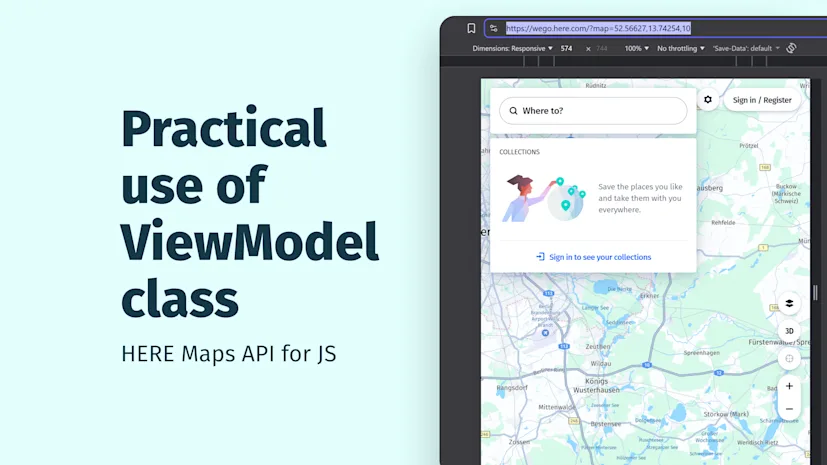
Sharing a map location through a URL is one of the simplest ways to communicate spatial context. With a single link, you can point someone to the exact spot you are talking about -whether you are adding map views to a story, highlighting places of interest for friends or colleagues, or bookmarking your own favorite locations (like those perfect fishing spots along the river).
Here are two examples:
Map Position with additional elements: https://wego.here.com/p/s-Yz1FViUyMENoYXJnaW5nJTIwU3RhdGlvbjtpZD1ldmNwMC1NakptTnprM05UZ3RPV1UyTnkweE1XVmxMVGc0WkRRdE5ESXdNVEJoWVRRd1ptTXc7bGF0PTUyLjQ2MTU5O2xvbj0xMy41MjIwNTtuPVNoZWxsK1JlY2hhcmdlO3BoPSs0OTgwMDMwMDQ1MDA=?map=52.46159,13.52205,16
Both links take you directly to a specific location on the map, including latitude, longitude, zoom level, and - in the second example - additional encoded content such as icons or EV tooltips.
In this blog post, we will look at how to build this behavior yourself using HERE Maps API for JavaScript and React Router. You will learn:
where to get the map coordinates
how to watch the map’s position as users interact
how to sync those values into the browser URL
how to load the map state from the URL
H.map.ViewModel is a class in a HERE Maps API for JS that represents a view of the map and works asynchronously. ViewModel consists of a look-at point which has a position in geo-space and orientation angles.
When building a HERE map extract the map center and zoom level with these methods!
Accessing the ViewModel
const viewModel = map.getViewModel();Getting the current center of the map from the ViewModel
const center = viewModel.getLookAtData().position;Getting the current map zoom from the ViewModel
const zoom = viewModel.getLookAtData().zoom;If we look at the example https://wego.here.com/?map=52.51604,13.37691,10 the coordinates and the zoom level in the URL comes from the ViewModel. Notice how moving the center of the map the coordinates in the URL are changing as well?
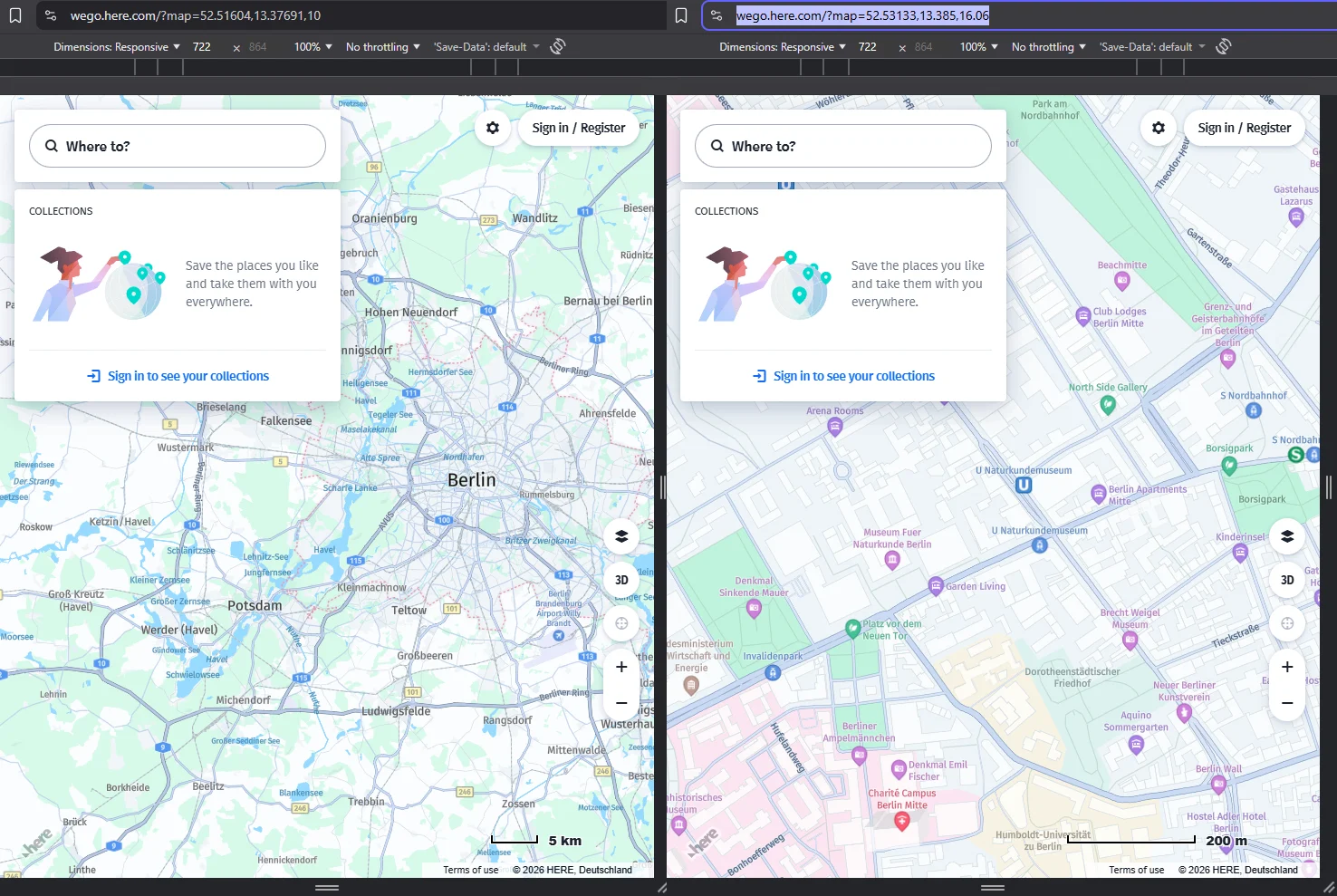
This "two-way sync" is the key concept in ensuring the map shows the correct location when shared over the internet. It is important to note that when the user pans or zooms the map, the ViewModel updates automatically. But the URL does not. As developers, we must write the new values back into the browser URL.
To fully support deep-linked maps, your data flow should look like this:
URL → Router → Map Component → ViewModel → URL
Ensuring:
When a user opens your URL, the map loads at the correct location.
When the user pans or zooms the map, the URL updates with correct values.
When the user copies the URL and shares it, the map state is preserved.
I am working with Vite and React but you do not have to! The underlying idea is completely framework‑agnostic - you can achieve the same result with any router, or even without one. In fact, the browser already gives us a powerful primitive for this use case: the URL hash API.
Using only Web APIs and HERE Maps, the entire deep‑linking logic can be reduced to a surprisingly small amount of code.
Every application needs an initial map state. When the app loads, we start with a default center, zoom, and orientation, and pass that into the map.
Once the map is on screen, the next step is to keep the browser URL in sync with the current map view.
HERE Maps exposes the full camera state through the H.map.ViewModel, so we can listen for the mapviewchangeend event and extract the latest values:
JavaScriptmap.addEventListener('mapviewchangeend', function () {const { tilt, heading, zoom, position } = map.getViewModel().getLookAtData();location.hash = `${tilt}/${heading}/${zoom}/${position.lat}/${position.lng}`;});
This immediately gives us a shareable URL that fully represents what the user is looking at - including orientation, not just center and zoom.
In practice, even mapviewchangeend can fire frequently - especially when using trackpads or kinetic scrolling. Writing to the URL on every small interaction can quickly become noisy.
To avoid this, it is a good idea to debounce URL updates and only write them when the view meaningfully changes. This keeps browser history clean and prevents unnecessary re‑renders.
To complete the loop, we also need to read the URL on load and restore the map state. Because the hash encodes the camera values in a fixed order, we can parse it and apply the values back to the ViewModel:
JavaScriptconst hash = location.hash;
if (hash) {  const [tilt, heading, zoom, lat, lng] =    hash.replace('#', '').split('/').map(Number);
  const viewModel = map.getViewModel();  const lookAt = viewModel.getLookAtData();
  viewModel.setLookAtData({    ...lookAt,    tilt: tilt ?? lookAt.tilt,    heading: heading ?? lookAt.heading,    zoom: zoom ?? lookAt.zoom,    position: {      lat: lat ?? lookAt.position.lat,      lng: lng ?? lookAt.position.lng,    },  });}
With this in place, we end up with a clean two-way connection:
Moving the map updates the URL (ideally debounced and change aware)
Loading or sharing a URL restores the exact same map view
The result is a map that is fully deep linkable, bookmarkable, and shareable - without introducing global state, external storage, or custom serialization layers.
If you want to build a map application that users can easily share, bookmark, or deep‑link into, HERE Maps H.map.ViewModel is perfect for that. By reading the view state from the map and synchronizing it back to the browser URL, you maintain a perfect two-way connection between your UI and your routing system. The map always loads the right location, and the URL always represents what the user is seeing.

Alberts Jekabsons
Sr. Developer Evangelist
Share article
Piyush Pelagade — 15 June 2026
Alberts Jekabsons — 28 May 2026
Piyush Pelagade — 18 May 2026
Why sign up:
Latest offers and discounts
Tailored content delivered weekly
Exclusive events
One click to unsubscribe